


Growth Marketing
Since their 2015 debut, Facebook Lead Generation Forms (LGFs) have been a powerful tool for direct response marketers.
For the first time, Facebook marketers could harness the power of the platform’s almost limitless targeting capabilities without directing traffic to a website.
We were then able to create a simple form and have potential customers fill out their information in the app, even using Facebook account data as a pre-fill.
Lead Generation Forms came along and addressed two of the biggest challenges social marketers faced when driving lower-funnel objectives on Facebook: traffic dropoff and landing page conversion rates.
However, the pendulum then almost immediately swung in the opposite direction.
By making the experience as automatic and frictionless as possible, lead generation forms could easily become a source of junk leads.
As a result, these leads developed a bad reputation, in some cases. While some advertisers may be reluctant to try this valuable tactic, lead quality has greatly improved thanks to recent updates in how lead generation forms are tracked and optimized.
Here are the latest advancements and best practices you need to know to utilize Facebook Lead Generation Forms to their fullest potential.
Conversion Leads Vs. Leads
If you’ve created a new “Lead Generation” campaign on Facebook over the past few weeks, you might have noticed that there’s a new option under the ad set’s “Optimization for Ad Delivery” tools.
This new optimization option is called a Conversion Lead.
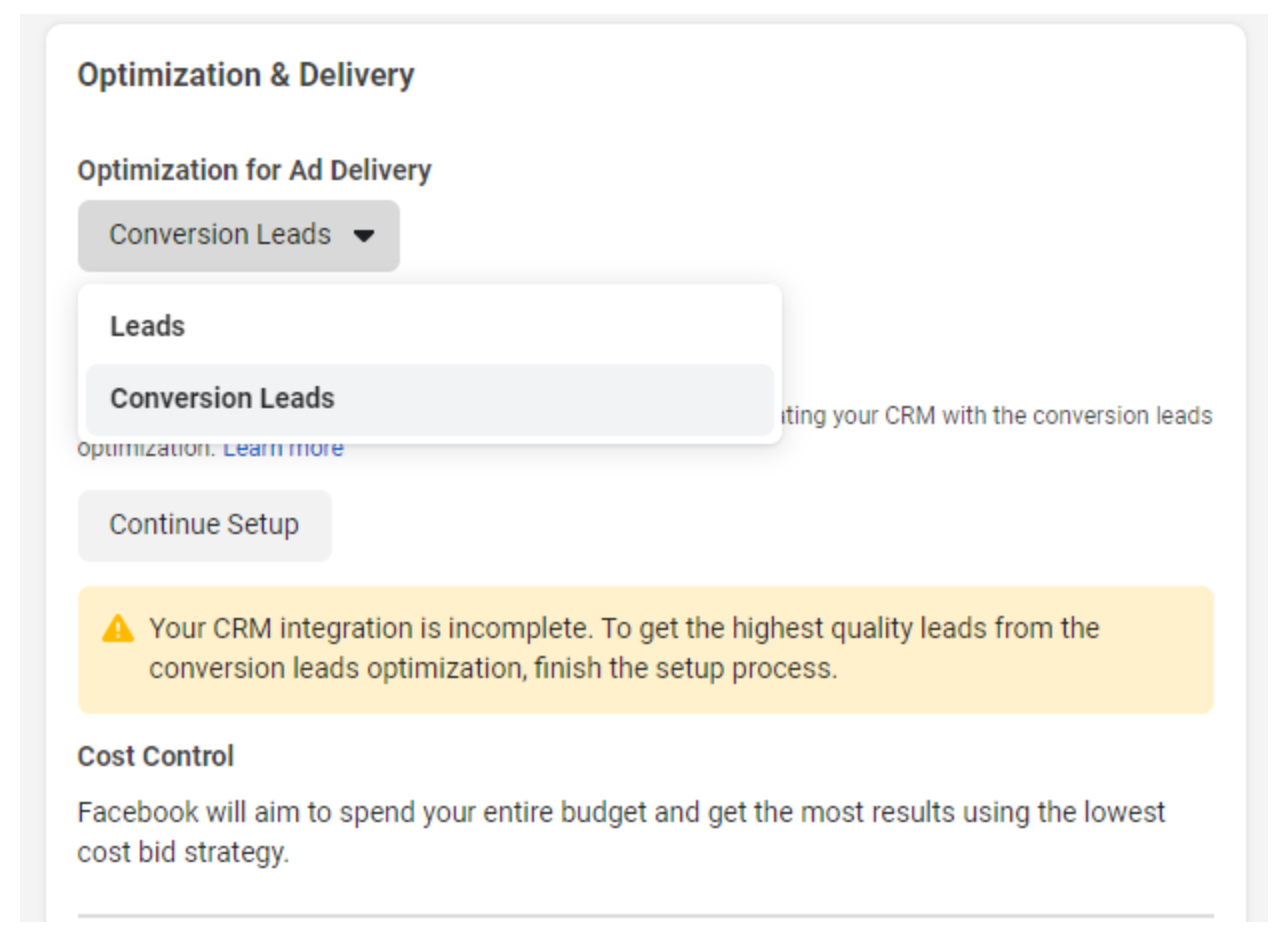
What’s the difference? Well, Conversion Leads are a new option that uses Facebook’s Conversions API to improve the overall quality of the lead
Here’s a simple breakdown:
- Leads optimize to quantity, giving you the highest volume of leads for your budget. This was how Lead Generation campaigns previously functioned by default.
- Conversion Leads use signals from your backend data to serve ads to users more likely to be a more quality conversion.
Think of it this way: Anyone can fill out a form and be a Facebook “Lead.” But whether that “Lead” is of any value to your business depends on how it progresses through your sales funnel.
Leads can become MQLs, Prospects, Customers, etc. – and that all happens after the initial lead is created, usually in a CRM system.
By connecting your CRM system to Facebook via the Conversions API (CAPI), you can now send those funnel stages back to Facebook for tracking and optimization purposes.
Instead of optimizing to volume, you can start optimizing for the types of leads that mean more to your business.
Aim for quality, not quantity.
Configuring Your CRM
Taking advantage of Conversion Leads in Facebook requires integrating your backend data with Facebook through the CAPI. The complexity of this process can vary depending on which CRM you use.
Detailed instructions for how to configure your CRM for CAPI integration can be found here. Some integrations need to be built from scratch, while some partners have existing tools available to help facilitate this with minimal development work required.
Once your CRM system is integrated through the CAPI, Facebook will then allow you to configure your “Sales Funnel” in Events Manager.
During this step, you’ll categorize the offline events that are being sent back to Facebook through the CAPI, and give the platform an understanding of how Leads progress.
Once the sales funnel is configured, you’ll be able to select a new optimization event.
This will be the indicator of lead quality that Facebook will use to optimize towards when you select “Conversion Leads” as your optimization.
Selecting the right event means balancing the amount of available data with the importance of that event.
For example, B2B marketers might be tempted to select “Closed Won” as their optimization event, since that might be the final stage of the process.
However, there might not be enough data points to sufficiently train the Facebook algorithm.
That’s why we recommend an event that is both indicative of the quality and plentiful enough to maximize the data points flowing into the platform. For example, B2B marketers could use something like an “MQL” instead.
Best Practices: Facebook Lead Generation Forms
As Michelle Morgan pointed out in her 2019 article 4 Strategies to Increase Facebook Lead Ad Quality, advertisers can do a number of things with just the form itself to improve the quality of submissions.
Since the Facebook platform is constantly evolving, let’s revisit these suggestions, along with a few new updates that can greatly improve your chances of getting the right people to raise their hand.
Higher Intent Leads
Given that lead quality can be a persistent issue with Facebook LGFs, the first thing we should do, counterintuitively to most direct response marketers, is create a little friction in the experience.
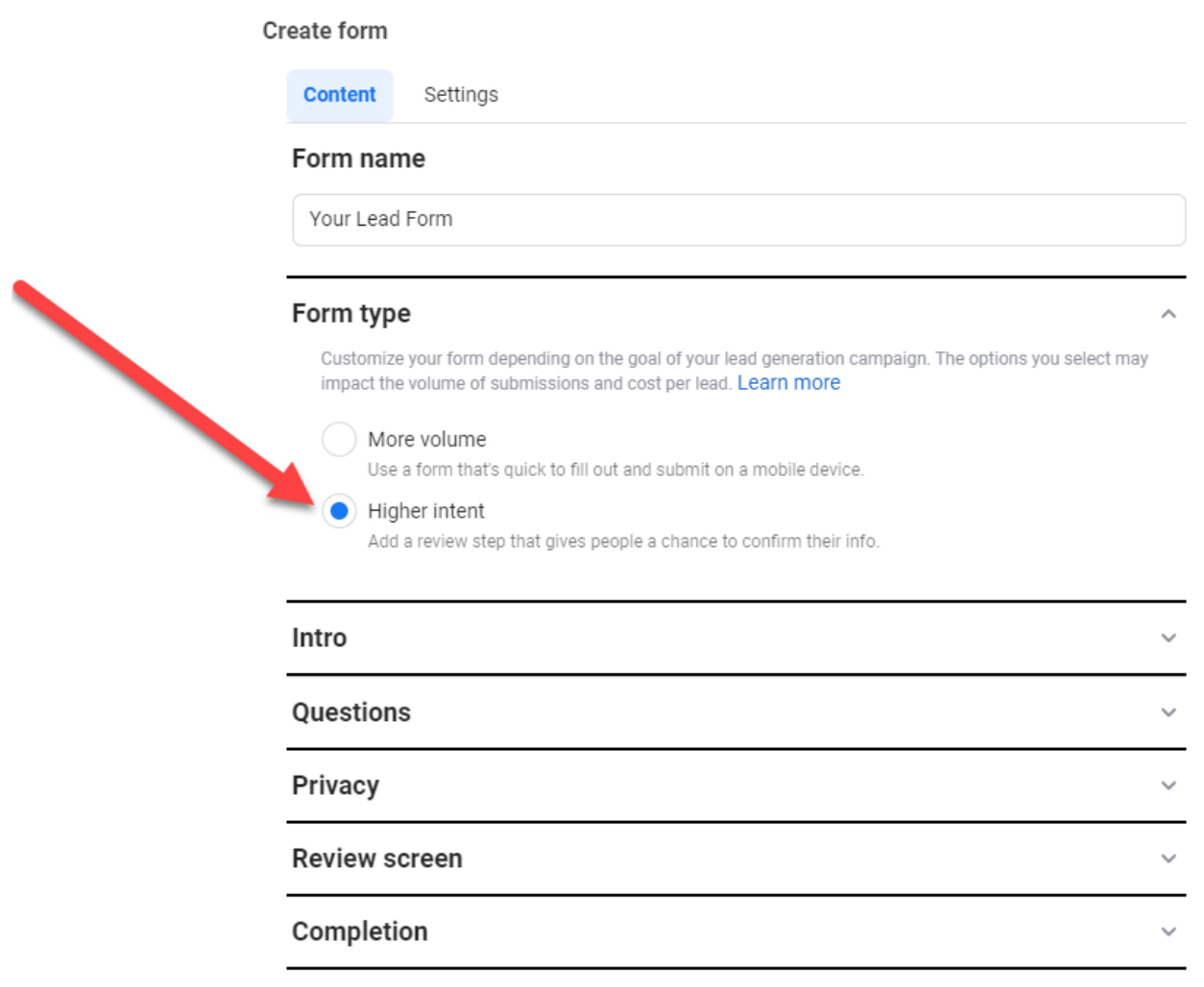
Selecting the “Higher Intent” form type adds a confirmation screen before leads are submitted. Though it might be hard to believe, there are a fair number of people who find themselves accidentally submitting their contact info via these forms.
You can easily reduce this by adding that confirmation roadblock, thus ensuring that only people who want to do business with you share their info.
The decrease in conversion rate is generally so negligible for qualified leads that I have a hard time recommending anything but Higher Intent forms.
Use Custom Questions
Don’t be afraid to ask additional questions, especially if your previous LGFs drove plentiful volume and suspect quality.
Augmenting potential leads with self-reported data can not only improve the quality of your responses, but it gives your internal sales teams more data to work with during the qualification process.
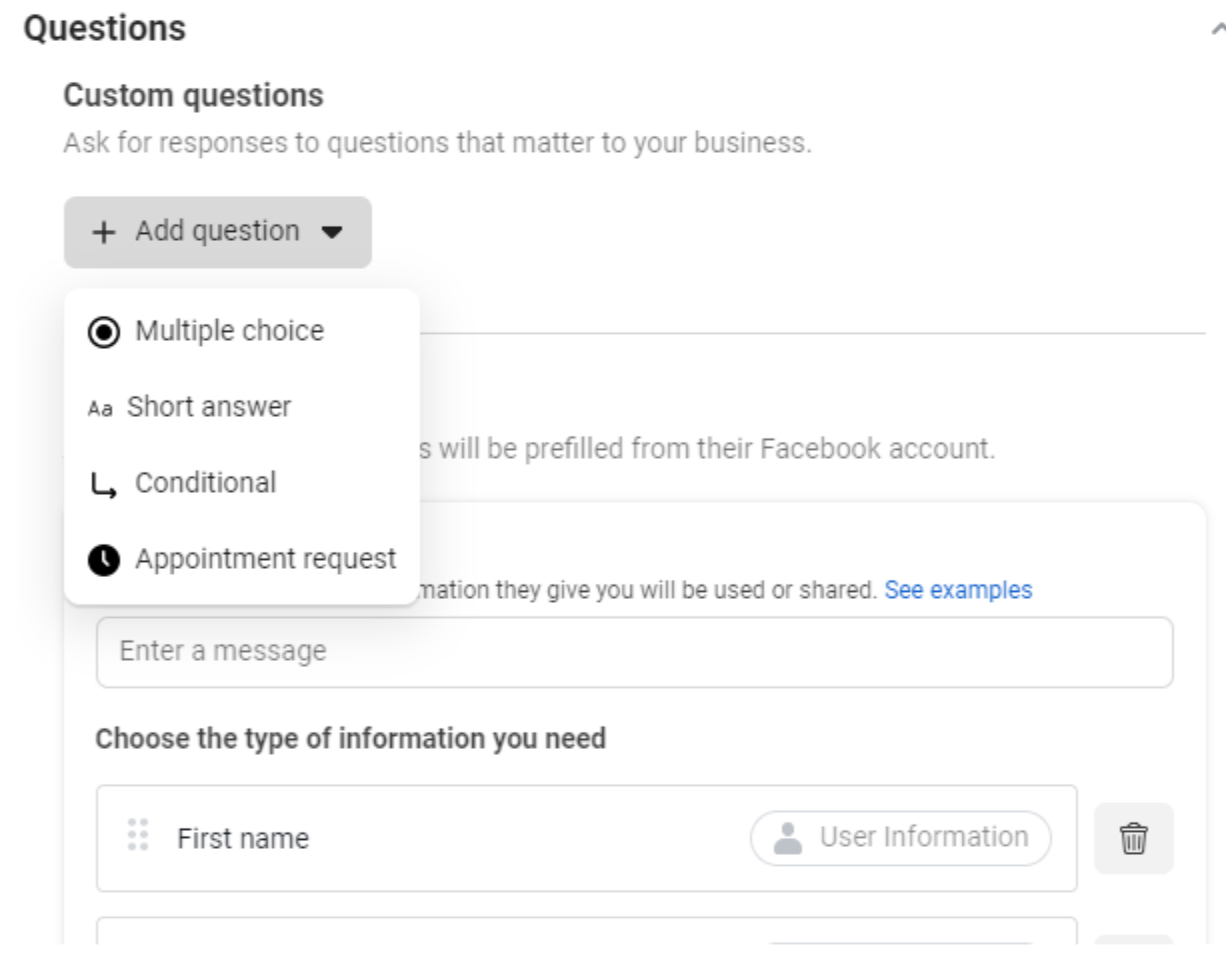
Facebook allows the creation of custom questions that can be either multiple choice or short answers. Questions can also be structured to contain basic conditional logic based on responses to previous questions.
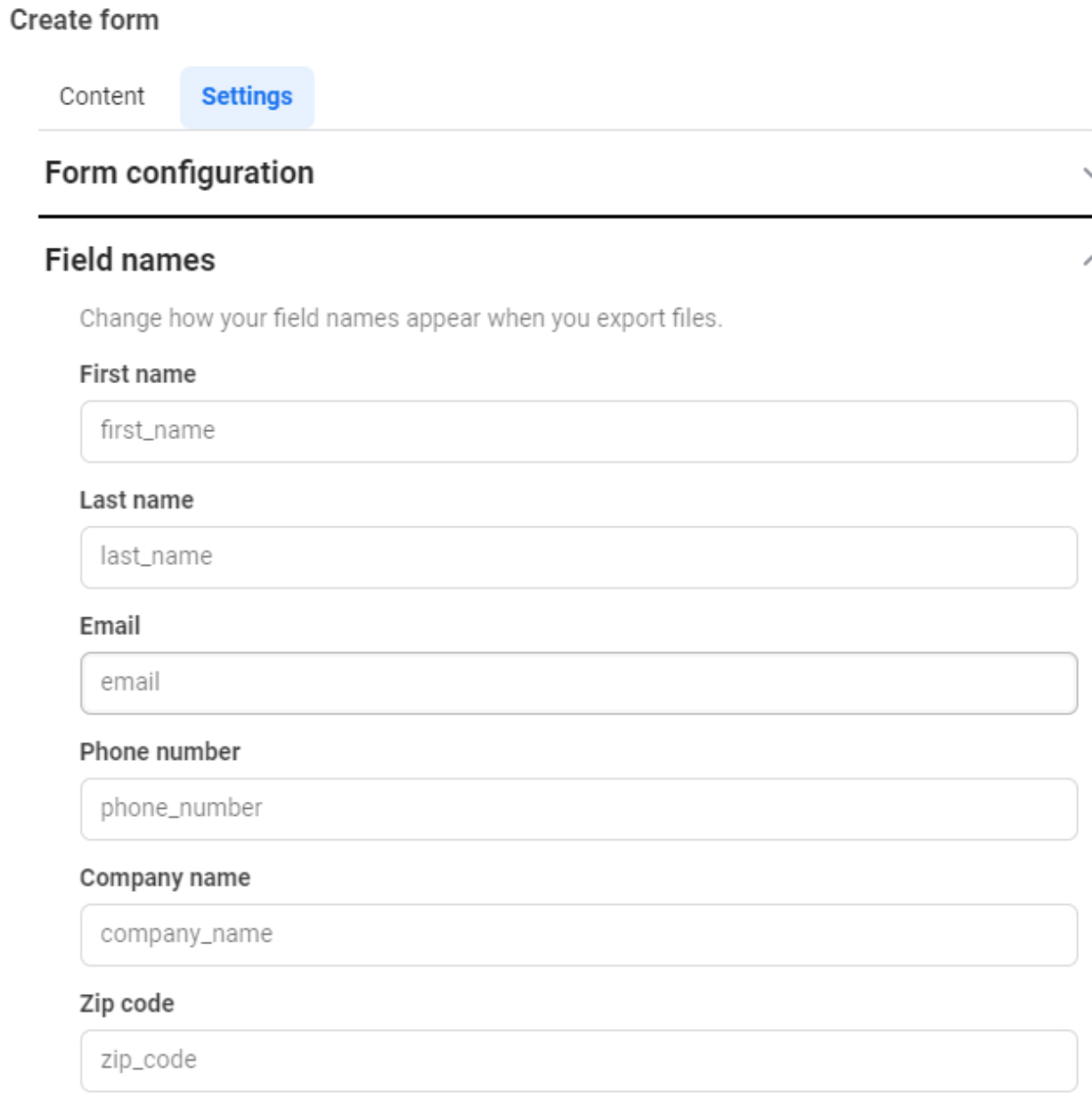
Add additional questions in the format that works best based on your company’s qualification criteria, and try to match the fields as closely as possible to the CRM systems that you use. This can be done in the Settings section under the Field names header:
Caution: You might be tempted to create a custom question to ask a user’s email address or contact phone number to require a manual entry. While this is clever, Facebook has recently cracked down on this practice, and your form can be rejected.
Call After Completion
Many advertisers are so focused on the lead form’s questions and mechanics that they often neglect the post-submission experience.
Depending on the type of form and the experience you’re creating, Facebook gives advertisers three options to select from for use on the final screen after a lead is submitted.
These “Call to Action buttons” include:
- Visit website.
- Download (for gated assets).
- Call business.
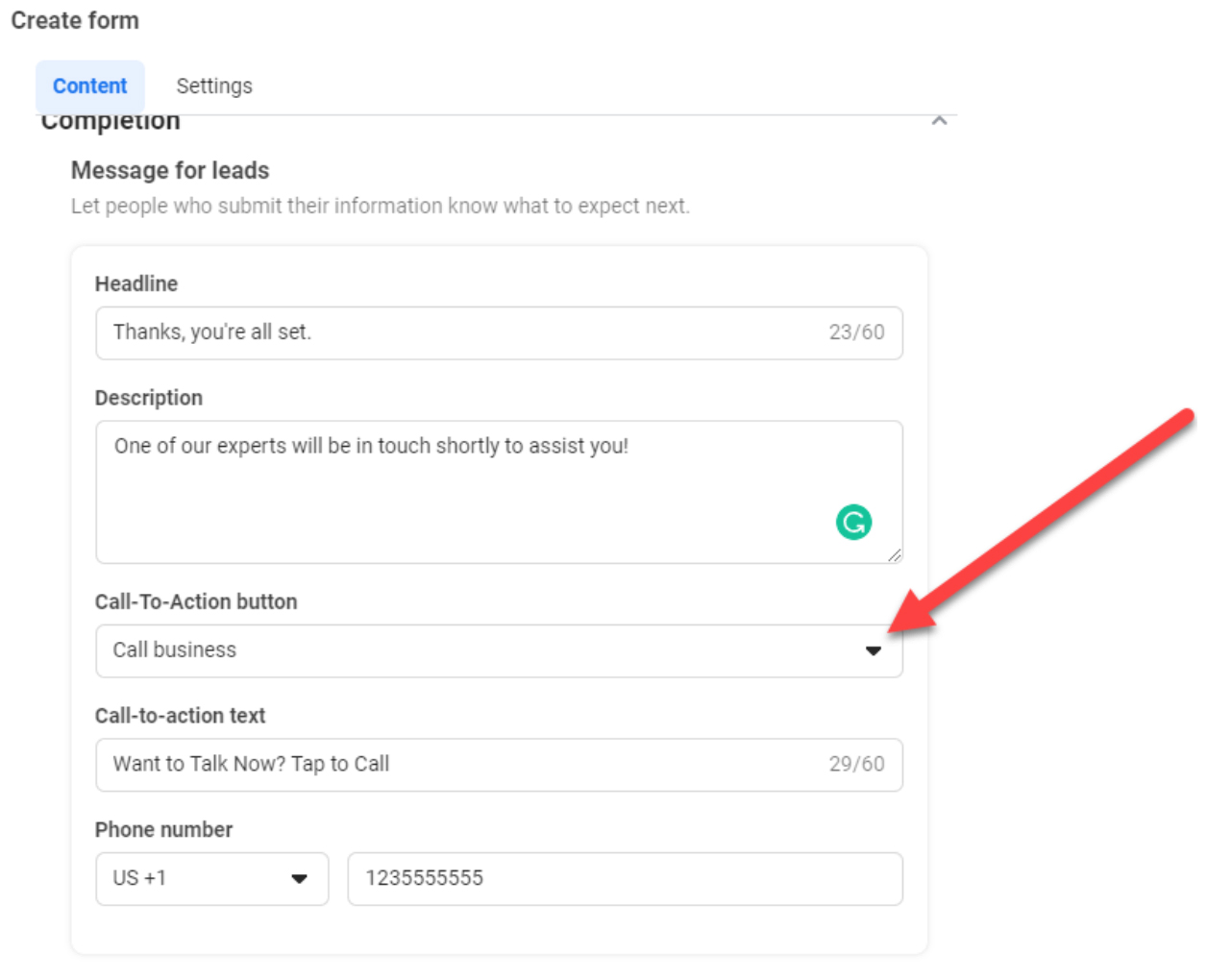
If your campaign doesn’t include giving a user a gated asset (Whitepaper, etc.), you might be tempted just to drive your lead submitters to a relevant landing page. But you could be missing out on harnessing high-intent customers as soon as possible.
Test a “Call business” CTA, and allow submitters to talk to the right people ASAP.
We recently tested this CTA for one of our clients, and we were happy we did.
When given the option, over 12% of submitters called the number, and the qualification rate of these high-intent callers was 20% higher than the baseline for the form leads themselves.
So-called “Speed-to-lead” can be a problem for many marketers, with follow-ups occurring hours and sometimes days after the initial lead is submitted. Adding a phone number to the post-submission page removes that issue almost entirely.
Flexible Form Delivery
In case you missed it, Facebook now gives marketers the option of converting existing lead forms into automated chats.
This option is great because it collects the lead info you’re looking for and allows you to interact with audiences via Facebook Messenger after the lead is submitted.
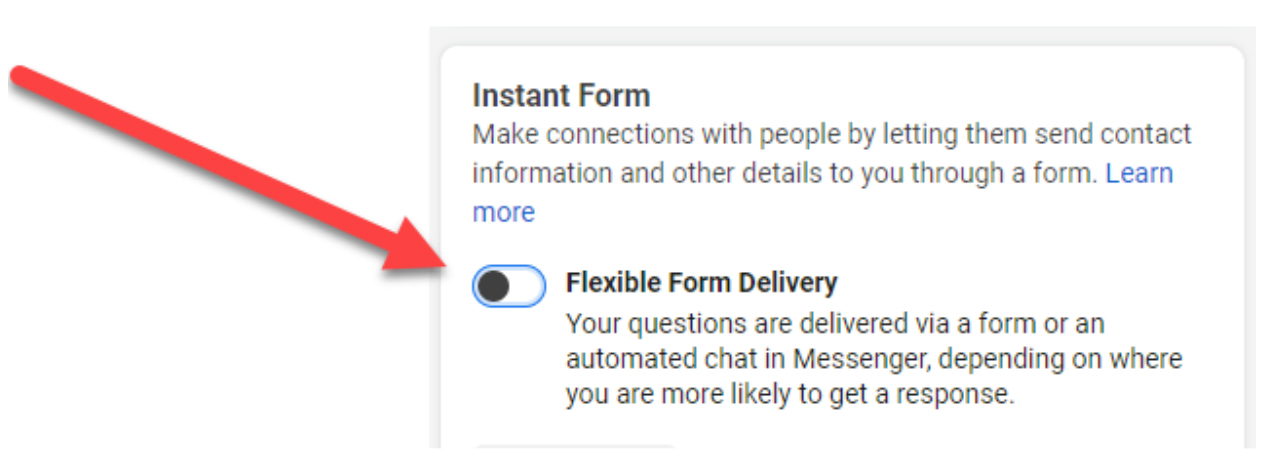
Recently, Facebook has added a new option to the Ad Settings called “Flexible Form Delivery.” Toggling this option will optimize the type of experience (Form or Chat) to audiences based on conversion likelihood.
Some people prefer to fill out forms. Others are more active on FB Messenger. Testing this option could increase your volume, conversion rate, and overall quality by tailoring to the user’s optimal experience.
The Takeaway
Facebook LGFs can drive you a high volume of leads at an efficient cost per lead. But quality problems have been a persistent issue for most marketers.
But thanks to recent advancements in offline tracking and optimization through the Facebook Conversions API, marketers now have more levers to pull when improving the qualification rate of leads driven through form campaigns.
With these new advancements and battle-tested best practices for creating high-converting lead forms, there’s never been a better time to add Facebook Lead Generation Forms to your direct response marketing mix.
